Commercial Vector Infographic Template Guide
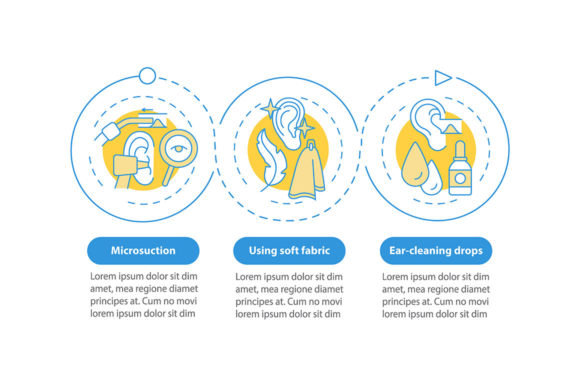
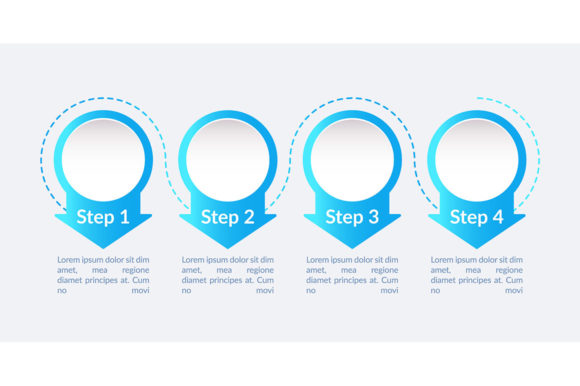
Communicating complex workflows or sequential data often requires more than bullet points on a slide. When you need to illustrate a four-stage process, a commercial vector infographic template serves as an immediate visual anchor for your audience. This specific design asset focuses on blue circular presentation elements with dedicated text space, offering a structured yet flexible layout for data visualization. Rather than building a timeline chart from scratch, professionals can leverage this pre-designed workflow layout to convey information clearly and efficiently.
The primary value of this template lies in its balance between aesthetic consistency and functional adaptability. The blue color palette is a strategic choice in corporate communication; it conveys trust, stability, and professionalism without overwhelming the viewer. Combined with circular motifs, which naturally suggest continuity and cyclical processes, the design guides the eye through the four steps logically. Whether you are explaining a project lifecycle, a manufacturing procedure, or a strategic roadmap, the copyspace provided ensures your message remains the focal point rather than getting lost in decorative clutter.
Technical Versatility Across File Formats
A significant advantage of professional-grade assets is format diversity. This template package includes EPS, JPG, PNG, SVG, and AI files within a single ZIP archive, addressing the varied needs of modern creators. Understanding when to use each format is essential for maintaining quality across different platforms.
- AI and EPS: These vector source files are indispensable for print production and extensive customization. Adobe Illustrator (AI) allows you to manipulate individual anchor points, change colors globally, and resize elements infinitely without pixelation. Encapsulated PostScript (EPS) offers similar scalability with broader compatibility across older software and third-party vector editors.
- SVG: Scalable Vector Graphics are crucial for digital-first projects. If you are embedding the infographic on a responsive website or within a web-based presentation tool, SVG ensures crisp rendering on retina displays and mobile devices while keeping file sizes minimal.
- PNG and JPG: Raster formats serve immediate needs. High-resolution PNGs with transparent backgrounds are perfect for dropping into PowerPoint, Keynote, or Canva when vector editing isn't necessary. JPGs provide a lightweight option for email newsletters or social media previews where transparency isn't required.
This multi-format approach eliminates technical bottlenecks. A marketing manager might use the PNG for a quick internal update, while the design team uses the AI file to rebrand the same asset for an external annual report. Having all options available in one download streamlines asset management and reduces friction in collaborative environments.
Practical Applications for Four-Step Workflows
The four-step structure is ubiquitous because it aligns with how people process sequential information. This commercial vector infographic template excels in scenarios where breaking down complexity is paramount. In educational settings, instructors use it to visualize scientific methods, historical timelines, or learning modules. The circular design softens the rigidity of academic content, making it more approachable for students while retaining structural clarity.
In business contexts, the applications are equally diverse. Project managers utilize the timeline chart to map out quarterly goals, sprint cycles, or product development phases. Consultants often employ this layout to present diagnostic frameworks or implementation strategies to clients. Because the template includes ample copyspace, it accommodates both concise headers and detailed explanatory text, allowing users to adjust information density based on their audience's expertise level.
Entrepreneurs and freelancers benefit from the template’s ability to elevate pitch decks and proposals. A visually cohesive process diagram signals organization and competence. Instead of describing your methodology verbally, showing a polished workflow layout helps stakeholders grasp your value proposition faster. For bloggers and content creators, such infographics increase dwell time and shareability, transforming abstract concepts into digestible visual content that performs well on platforms like Pinterest or LinkedIn.
Evaluating Design Quality and Usability
Not all templates are created equal. When selecting a commercial vector infographic template, look beyond surface aesthetics to assess underlying construction. High-quality templates feature organized layer structures with descriptive naming conventions. You should be able to isolate text boxes, background elements, and graphical shapes without accidentally moving unrelated components. This organizational clarity saves hours of frustration during customization.
Color management is another critical factor. Professional templates use global swatches or color groups, enabling one-click palette changes. If you need to shift from blue to your brand’s green, the entire design should update cohesively without manual recoloring of individual elements. Additionally, check that text areas are genuinely editable and not outlined or rasterized. True editability ensures you can update content repeatedly as processes evolve, extending the template’s lifespan far beyond a single project.
Consider the whitespace ratio as well. Effective data visualization breathes; overcrowded designs confuse rather than clarify. This template’s emphasis on copyspace indicates thoughtful design prioritizing readability. Before purchasing or downloading, preview the template at actual presentation size to verify that text remains legible and elements don’t feel cramped when populated with real content.
Maximizing Impact Through Strategic Customization
While templates provide structure, your unique value emerges through customization. Start by aligning the blue palette with your brand guidelines. Even if blue isn’t your primary color, adjusting saturation or pairing it with complementary accent colors can maintain the template’s professional tone while ensuring brand recognition. Typography choices matter equally; replace default fonts with your brand typeface to create visual cohesion across all communications.
Content hierarchy should drive your text placement. Use the largest circular elements or boldest typography for step titles, reserving smaller text areas for supporting details. Avoid filling every available copyspace simply because it exists; strategic emptiness directs attention to what matters most. Consider adding subtle icons within each circle to reinforce meaning visually, but ensure they don’t compete with your text for cognitive load.
Finally, adapt the template to your medium. A detailed version with full descriptions works for printed reports or PDF downloads, while a simplified variant with keywords only suits live presentations where you’ll elaborate verbally. Creating these variations from the same master file maintains consistency while optimizing for context. Remember that the goal isn’t just to display a pretty graphic—it’s to facilitate understanding. Every customization decision should serve clarity first, aesthetics second.
Investing time in properly implementing a commercial vector infographic template pays dividends in perceived professionalism and communication efficiency. By understanding both the technical specifications and strategic applications of this blue circular design asset, you transform a simple download into a versatile communication tool that serves multiple audiences and purposes across your personal and professional endeavors.